Share Your Success
Professional Printable Reports
Loading Plan Communication Gaps
Communicating complex container loading plans to drivers, warehouse teams, and clients often relies on verbal explanations or basic screenshots that don't capture the full picture. Multi-container shipments become especially challenging when teams need to understand loading sequences, item placement, and overall optimization results. Without professional documentation, loading plans can be misinterpreted, leading to errors during execution and difficulty demonstrating optimization value to stakeholders and clients.
Comprehensive Report Generation
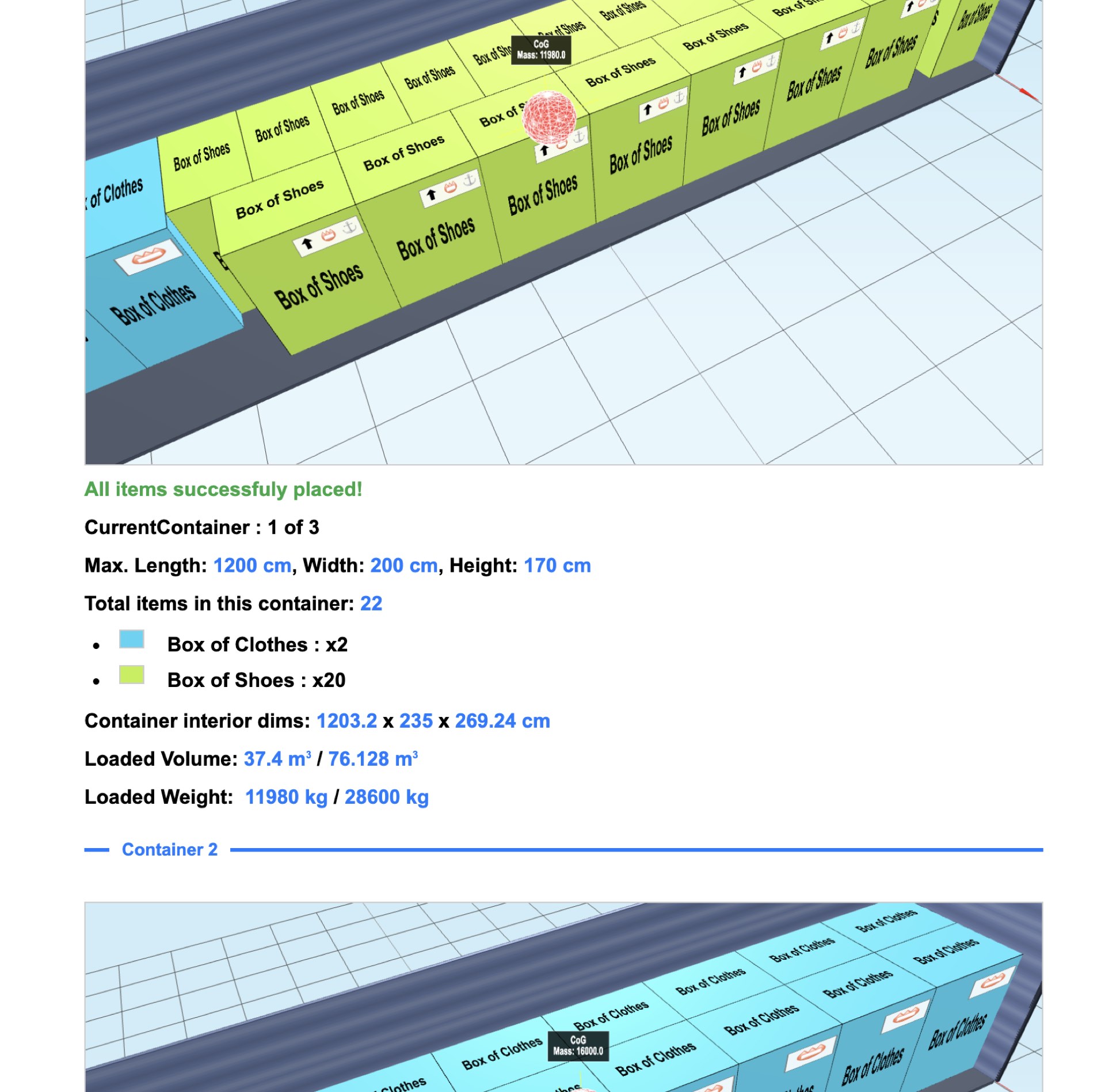
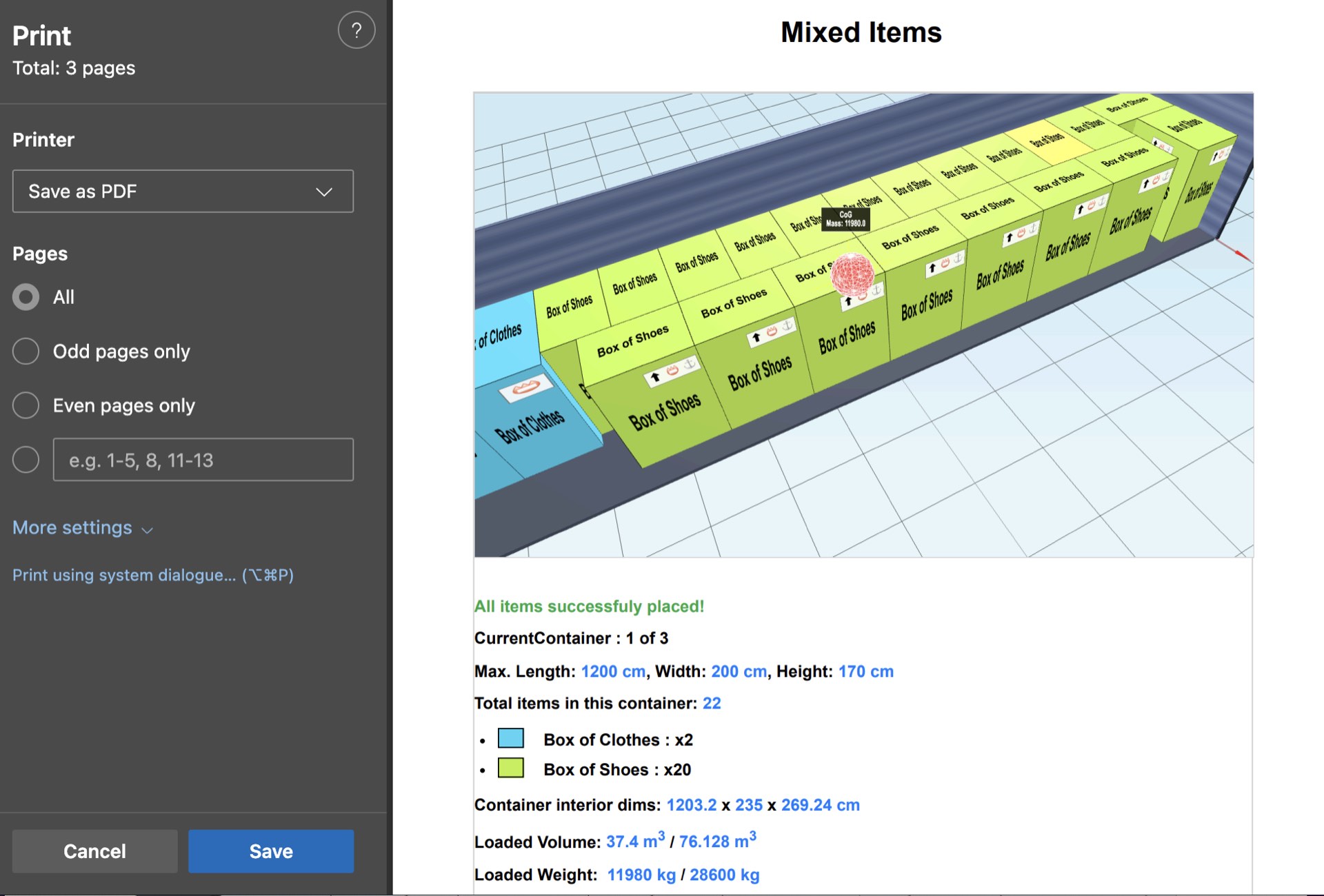
3DPACK.ING's printable reports feature automatically generates professional documentation showing all containers with optimized camera angles and detailed loading information. Each container gets its own page with clear 3D visualizations, item lists, and loading statistics. The system captures the perfect view of each container automatically, ensuring consistent, professional presentation that clearly communicates your loading plan to any audience.
Enhanced Professional Communication
Professional reporting capabilities elevate your logistics operations by providing clear, shareable documentation that builds confidence with clients and streamlines team coordination. Your loading plans become easily understandable reference materials that reduce errors and improve execution accuracy. The professional presentation demonstrates your optimization expertise to clients and stakeholders while creating valuable documentation for compliance, training, and operational improvement initiatives.
Advanced Reporting Features
- Multi-Container Documentation: Automatically generates reports covering all containers in multi-container optimizations
- Optimized Camera Angles: System selects the best viewing angle for each container to showcase the loading arrangement
- Print-Ready Layouts: Professional A4 formatting with clear fonts and proper page breaks for physical printing
- Detailed Item Lists: Complete inventory showing item names, dimensions, quantities, and placement information
- Loading Statistics: Space utilization, weight distribution, and efficiency metrics for each container
- Export Options: Generate PDF files for digital sharing or print directly for physical distribution
What a loading crew actually needs on paper
The plan on a screen and the plan on the dock are different documents. Somebody standing at the doors of a trailer with gloves on, in the rain, next to a running forklift is not going to rotate a 3D model. What they need is small, fixed and readable at arm's length.
In practice that is four things. A picture of each container from the door end, so the shape of the load is recognisable before anything moves. A numbered sequence, because the order matters more than the coordinates — nobody measures a position, they place item 12 after item 11. A per-container item count using the product names the warehouse actually uses, so a discrepancy is caught at the door rather than at the destination. And the weights, because that is the number the driver is accountable for.
What it does not need is coordinates. Exact millimetre positions are how the plan was computed, not how it gets executed, and printing them makes the sheet longer without making it more useful.
The document as a record
A printed plan does a second job the screen version does not: it is evidence. If cargo arrives damaged, the question is usually whether it was loaded as planned, and a dated sheet showing the intended arrangement and weights answers that in a way a recollection does not. The same document settles disputes about what was loaded at all, which is why the item counts matter as much as the picture.
It also travels. A forwarder, a customer's receiving bay and a customs broker are three parties who may need to see the plan and none of whom will have an account with your planning tool. A PDF is the format all three can already open; a shareable link is the version for the ones who want to rotate the load themselves.
If you are planning road freight, the vehicle figures that end up on these sheets — internal dimensions, typical payloads, pallet capacity — are collected on the truck load calculator page, and the pallet footprints behind the counts are on the pallet calculator.
Create Professional Loading Documentation
Transform your loading plans into professional reports that impress clients and guide teams. Start generating comprehensive container reports today.
Try Printable Reports